CI/CD Jenkins Pipeline With AWS - DevOps - Part 02
Hello Everyone,
In my previous tutorial, I discussed How to deploy the Jenkins Server (Master) and Build server (Node/Slave) on EC2 Instances. Also, I mentioned that I will write how to build a Pipeline and deploy the application. So, this blog is a continuation of the previous tutorial. To read my previous tutorial click the link below
CI/CD Jenkins Pipeline With AWS - DevOps - Part 01
In this tutorial, I will show how to build Pipeline, Connect Github, and Continues Deployment of web application on Elastic Beanstalk.
Let's jump into the tutorial
How to build Pipeline, Connect Github, and Continues Deployment of web application on Elastic Beanstalk.
In this case, I am using GitHub as Version Control System and I going to build and deploy the Node-Js application on ElasticBeantalk.
1. Install NodeJs Plugins on Jenkins
Navigate to Manage Plugins and click on the Available tab. Then Search for NodesJs
Manage Jenkins > Plugin Manager > Install NodeJS plugin.
 Now the Plugin is successfully installed.
Now Goto the Global Configuration and Set your compatible node version.

 Name: NodeJs


 Payload URL: <paste your Jenkins environment URL/github-webhook/>.


 From the General Tab,
 Under Source Code Management
 For this project, I am maintaining a master branch and main branch. The master in which where I test my code and later merge my master branch to main. The main branch act as the main/common branch for other branches such as the feature branch, todo branch, etc.
 I select GitHub hook trigger as build trigger. As we configured our GitHub to trigger Jenkins for each pull and push.
 Application Name: <your choice>
 Version Label Format
 As I mentioned earlier, ElasticBeanstalk stores different versions of the application to the S3 bucket. So let's configure applications for deploy to S3.
 S3 Bucket Name: <the bucket which to store>


CI/CD Jenkins Pipeline With AWS - DevOps - Part 01
Hello Everyone,
As you know, I am reading about AWS services and automate the deployment process of any AWS services using Terraform, Ansible, PowerShell, and bash and also often talk about DevOps.
DevOps is one of the things right now in the term of CI/CD with the development and release of software in the DevOps process. Every development and the release of the software have to be as fast as possible.
So, In this tutorial, show you how the deployment and release of a web application agile as possible using Jenkins, Github, AWS EC2 Instances, and AWS Elastic Beanstalk to create a deployment pipeline for a web application that is updated automatically every time you change your code.
This tutorial Divided into three parts,
In part 01, I will be explaining how to deploy the Jenkins server (master) and Build server (node/slave).
In part 02, I will explain meticulously how to build Pipeline, Connect Github, and Continues Deployment of web application on Elastic Beanstalk.
In part 03, let's have contexts about the Continuous Test, Release Management and App Performance and Monitoring (APM)
----------------------------------------------------------------------------------------------------------

Note: In this tutorial, I won't be explaining VPC, Subnet, Route Table creation. This tutorial only about Jenkins Master/ Slave Installation & Configuration AWS Plattform.
Note: Hit the y key on your keyboard when asked before installation commences.
ubuntu@ip-10.0.0.172:~$ sudo -s
root@@ip-10.0.0.172:-# sudo amazon-linux-extras install java-openjdk11
...
Transaction Summary
======================================
Install  1 Package (+31 Dependent packages)

Total download size: 46 M
Installed size: 183 M
Is this ok [y/d/N]: y
root@@ip-10.0.0.172:~#
root@@ip-10.0.0.172:~#
Once installation is over, Confirm the installation by checking the Java version.
ubuntu@ip-10.0.0.172:~# java --version
openjdk 11.0.7 2020-04-14 LTS
OpenJDK Runtime Environment 18.9 (build 11.0.7+10-LTS)
OpenJDK 64-Bit Server VM 18.9 (build 11.0.7+10-LTS, mixed mode, sharing)
root@@ip-10.0.0.172:~#
Add Jenkins repository to Jenkins Master Instance. we’ll use the package installation method. Therefore a package repository is required to install Jenkins.
root@@ip-10.0.0.172:~# tee /etc/yum.repos.d/jenkins.repo<<EOF
[jenkins]
name=Jenkins
baseurl=http://pkg.jenkins.io/redhat
gpgcheck=0
EOF
Import GPG repository key.
root@@ip-10.0.0.172:~# rpm --import https://jenkins-ci.org/redhat/jenkins-ci.org.keyroot@@ip-10.0.0.172:~# sudo yum repolistroot@@ip-10.0.0.172:~# yum install jenkinsroot@@ip-10.0.0.172:~# systemctl start jenkins
root@@ip-10.0.0.172:~# systemctl enable jenkins
root@@ip-10.0.0.172:~# systemctl status jenkins
● jenkins.service - LSB: Jenkins Automation Server
Loaded: loaded (/etc/rc.d/init.d/jenkins; bad; vendor preset: disabled)
Active: active (running) since Wed 2020-12-09 17:52:04 UTC; 9s ago
Docs: man:systemd-sysv-generator(8)
Process: 2911 ExecStart=/etc/rc.d/init.d/jenkins start (code=exited, status=0/SUCCESS)
CGroup: /system.slice/jenkins.service
└─2932 /etc/alternatives/java -Dcom.sun.akuma.Daemon=daemonized -Djava.awt.headless=true -DJENKINS_HOME=/var/lib/jenkins -jar /usr/lib/jenkins/jenki...
Dec 09 17:52:03 amazon-linux systemd[1]: Starting LSB: Jenkins Automation Server...
Dec 09 17:52:03 amazon-linux runuser[2916]: pam_unix(runuser:session): session opened for user jenkins by (uid=0)
Dec 09 17:52:04 amazon-linux jenkins[2911]: Starting Jenkins [ OK ]
Dec 09 17:52:04 amazon-linux systemd[1]: Started LSB: Jenkins Automation Server.
root@@ip-10.0.0.172:~# ss -tunelp | grep 8080
tcp LISTEN 0 50 *:8080 *:* users:(("java",pid=2932,fd=139)) uid:996 ino:26048 sk:f v6only:0 <->root@@ip-10.0.0.172:~# yum install nginx
root@@ip-10.0.0.172:~# service nginx start
root@@ip-10.0.0.172:~# vim /etc/ngnix/conf.d/jenkins.conf
upstream jenkins {
    server 127.0.0.1:8080;
}

server {
    listen      80 default;
    #server_name your_jenkins_site.com;#

    access_log  /var/log/nginx/jenkins.access.log;
    error_log   /var/log/nginx/jenkins.error.log;

    proxy_buffers 16 64k;
    proxy_buffer_size 128k;

    location / {
        proxy_pass  http://jenkins;
        proxy_next_upstream error timeout invalid_header http_500 http_502 http_503 http_504;
        proxy_redirect off;

        proxy_set_header    Host            $host;
        proxy_set_header    X-Real-IP       $remote_addr;
        proxy_set_header    X-Forwarded-For $proxy_add_x_forwarded_for;
        proxy_set_header    X-Forwarded-Proto http;
    }

}
Once you edit the configuration restart the Nginx
root@@ip-10.0.0.172:~# systemctl reload nginx
root@@ip-10.0.0.172:~# cat /var/lib/jenkins/secrets/initialAdminPassword
7c893b9829dd4ba08244ad77fae9fe4f


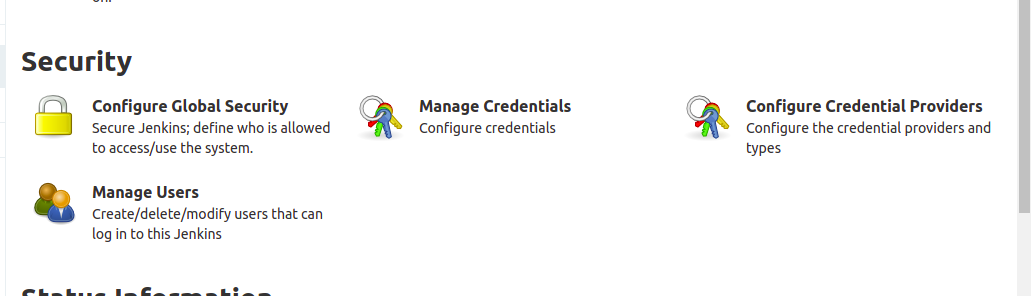


Now Start your Slave instance and install the following software.
ubuntu@ip-10.0.0.168:~$ sudo -s
root@@ip-10.0.0.168:-# amazon-linux-extras install java-openjdk11root@@ip-10.0.0.168:-# yum -y install gitroot@@ip-10.0.0.168:-# /usr/bin/easy_install awsebcliMyPrivateDNS: ip-10-0-0-168.us-west-2.compute.internal

 Once you save it, Click on New Node and the Slave instance your worker node to build your application on the Continuous integration. and define the following fields on the menu.


